
Volt is a launcher for Windows built with React, TypeScript and Electron. Press Ctrl + Space from anywhere and one search bar finds your apps, files, settings, commands and the web. Version 2.0 brings a fresh look with a light theme, app groups, global hotkeys and an AI chat that shows its work.
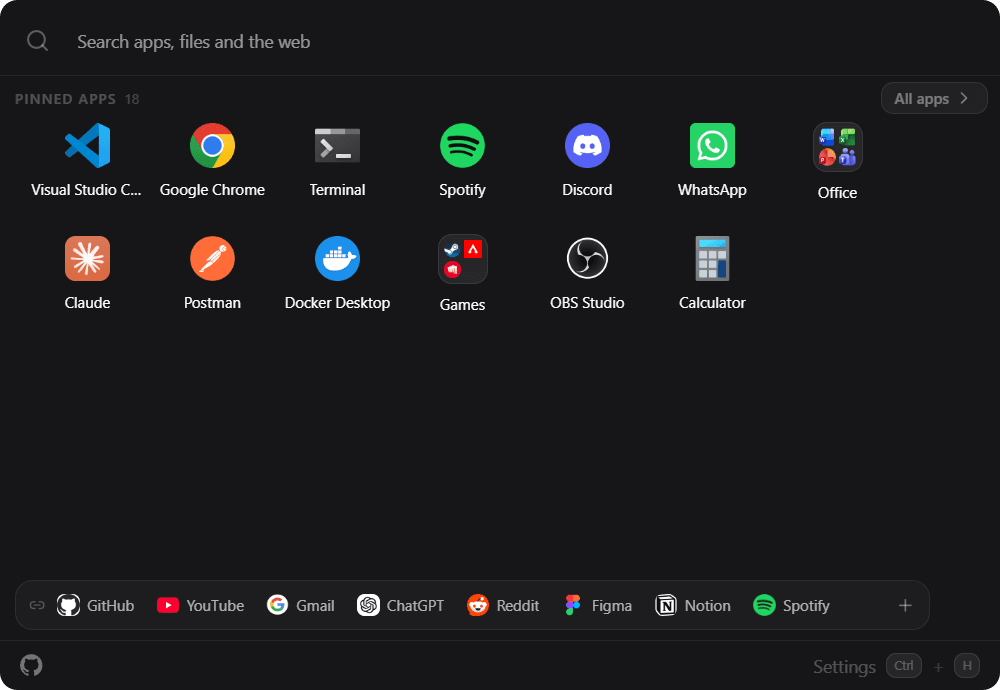
Home Screen
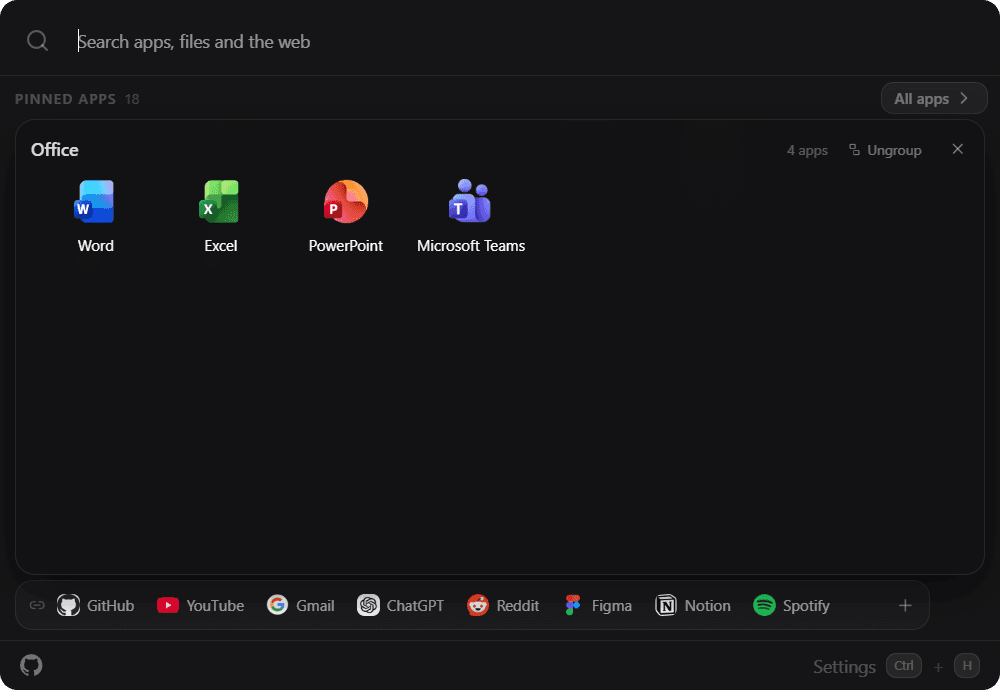
Your pinned apps fill the home screen, with no limit on how many. Drag one app onto another to make a group. A group shows its first four icons and opens into its own grid, so a whole set of tools takes up a single tile.
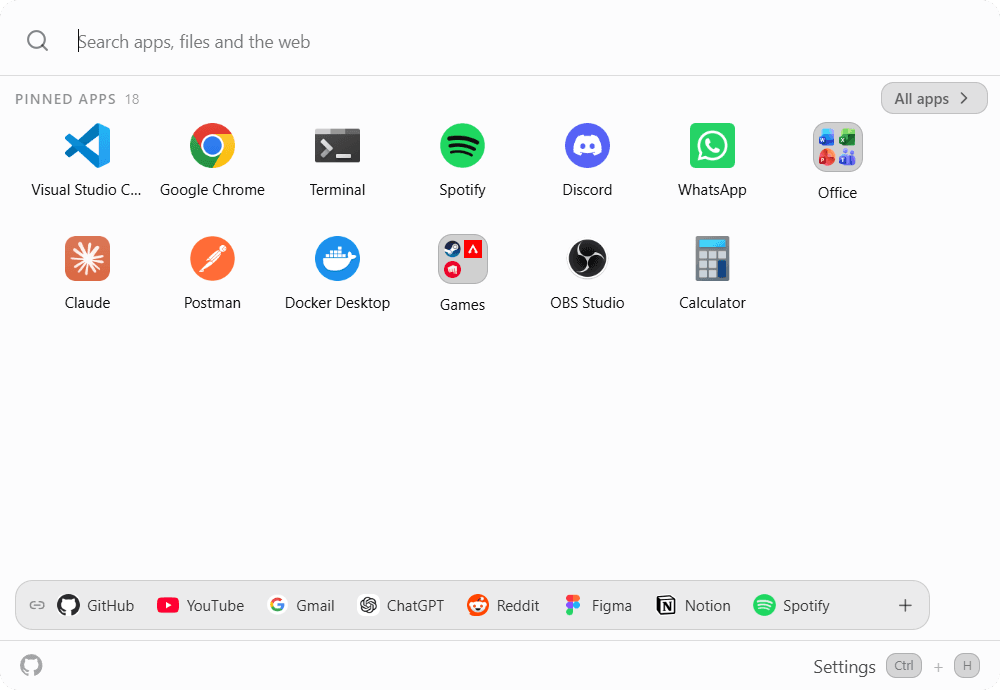
Volt comes in light and dark, or follows your Windows theme. Your favourite sites live in a links dock along the bottom that never moves, and Ctrl + 1 to 9 opens the first nine.
Search
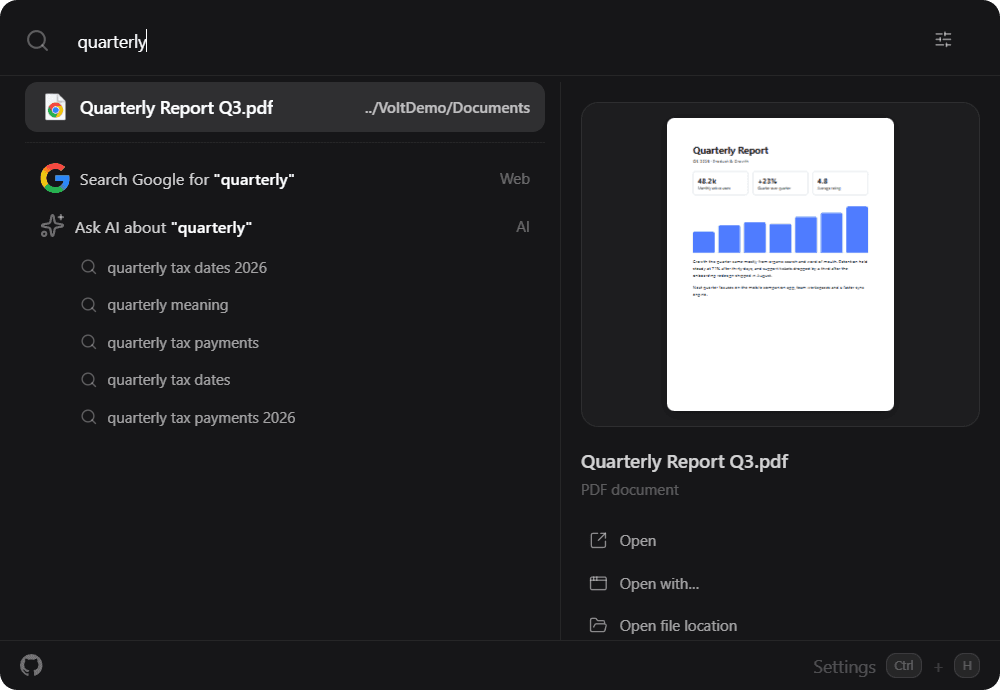
Apps, files, folders, commands and Windows settings come back as one ranked list as you type. Volt learns which result you pick for a query, finds apps by their initials (vsc for Visual Studio Code) and hints the rest of a name right in the search bar. Press Alt + P for a preview pane with thumbnails, the first page of a PDF, file details and quick actions.
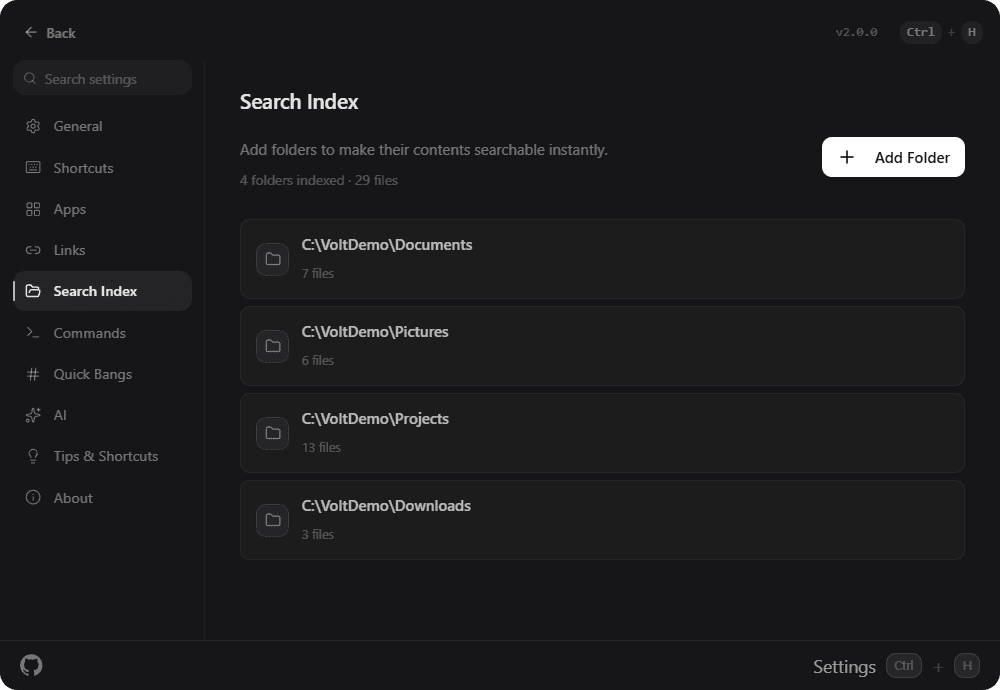
Add any folder to the search index and its files show up instantly, kept up to date as you add, move or delete things. Search over very large folders is up to ten times faster than before, and indexing never holds up startup.
Installed apps, Store apps and your Steam library are all picked up automatically, and the list matches Start's All apps. Built-in commands cover shutdown, restart, sleep, display modes and every Windows settings page.
Web Search and Bangs
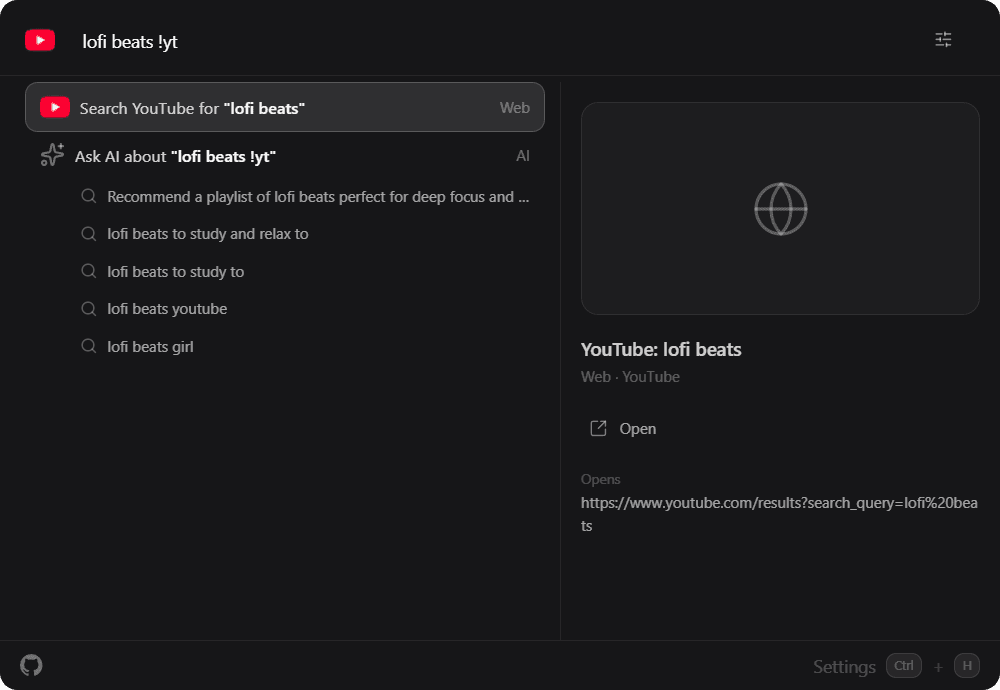
The web is always one Enter away, with Google suggestions under every search. End a query with a bang like !yt, !gh or !r to search that site directly. Over 10,000 bangs are supported, and your search history stays on your computer.
Ask AI
Press Tab and whatever you typed carries straight into a chat. Use Claude, Codex, Gemini or any OpenAI-compatible provider, with any model you like. Claude and Codex use the accounts you're already signed in to, so there are no extra keys to set up.
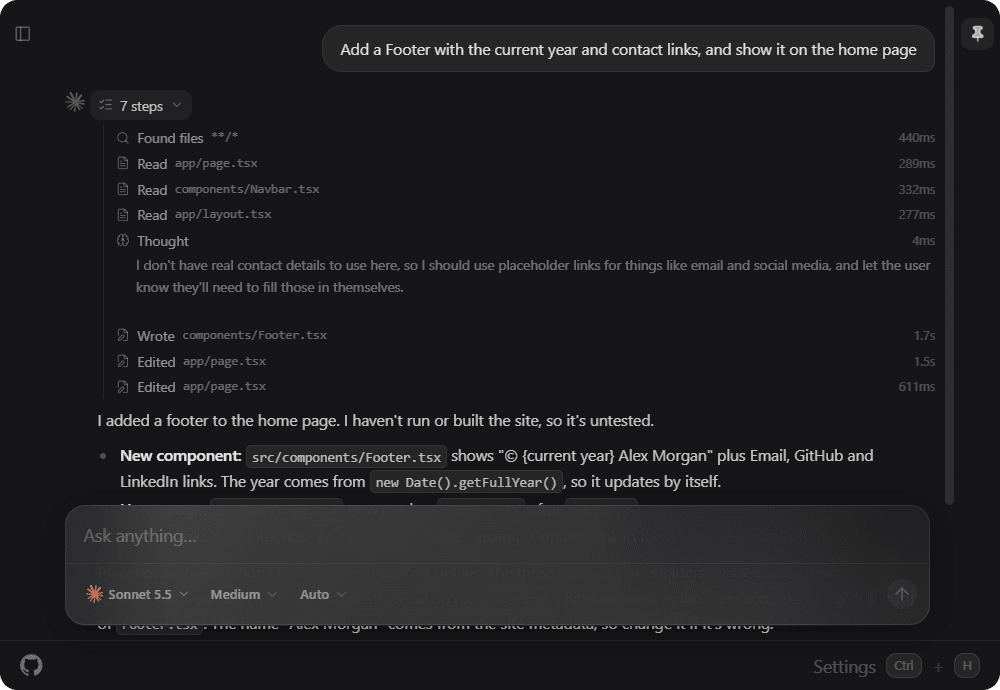
Every answer shows the steps the AI took, right where they happened: the files it read, the commands it ran, what it was thinking and whether each step worked. You decide how much it may do on its own, from Ask first, where every command and edit waits for your approval, all the way to Full access.
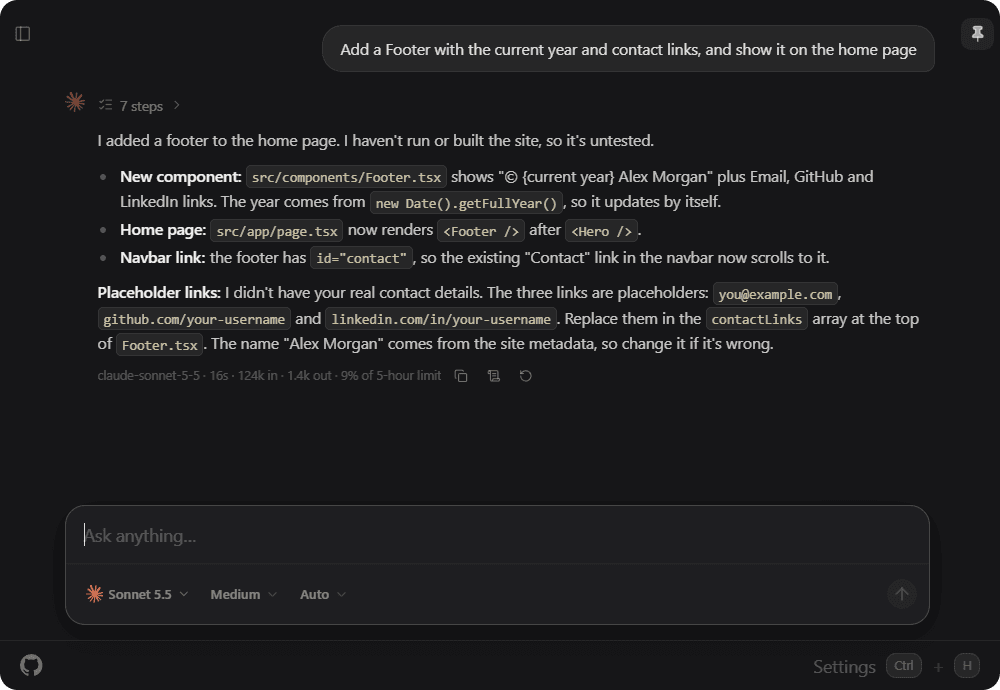
Each answer lists the model, how long it took, the tokens it used and how much of your Claude plan's window is spent. Volt stays open while you click away to read something else, so an answer is never cut off halfway.
Hotkeys
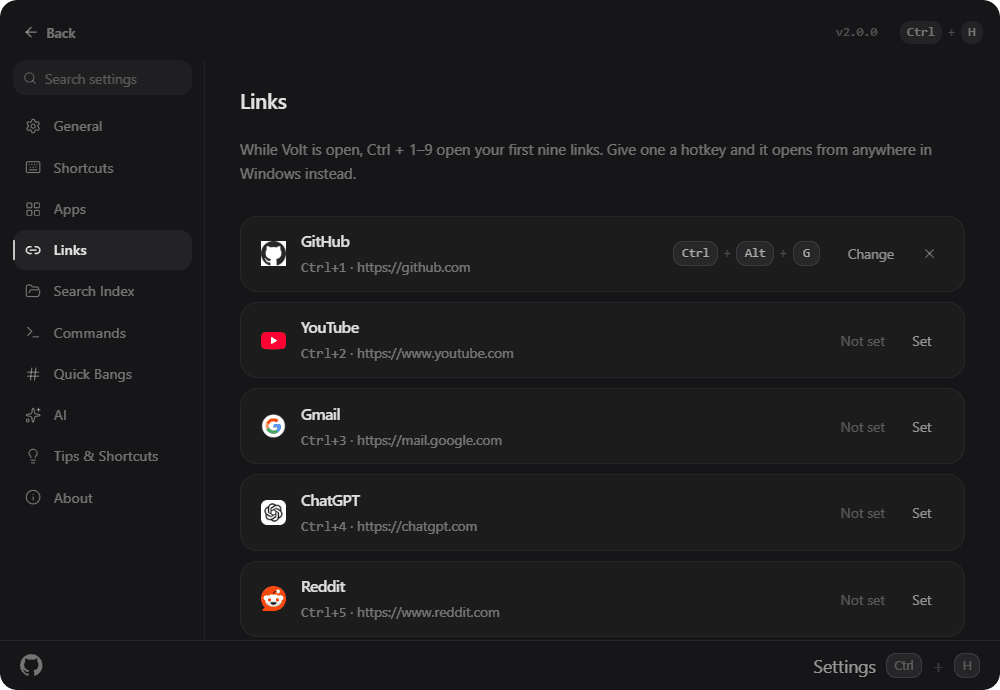
Give any app or link its own global hotkey and it opens from anywhere in Windows, even when Volt is hidden. Launching your editor or your inbox becomes a single key combo.
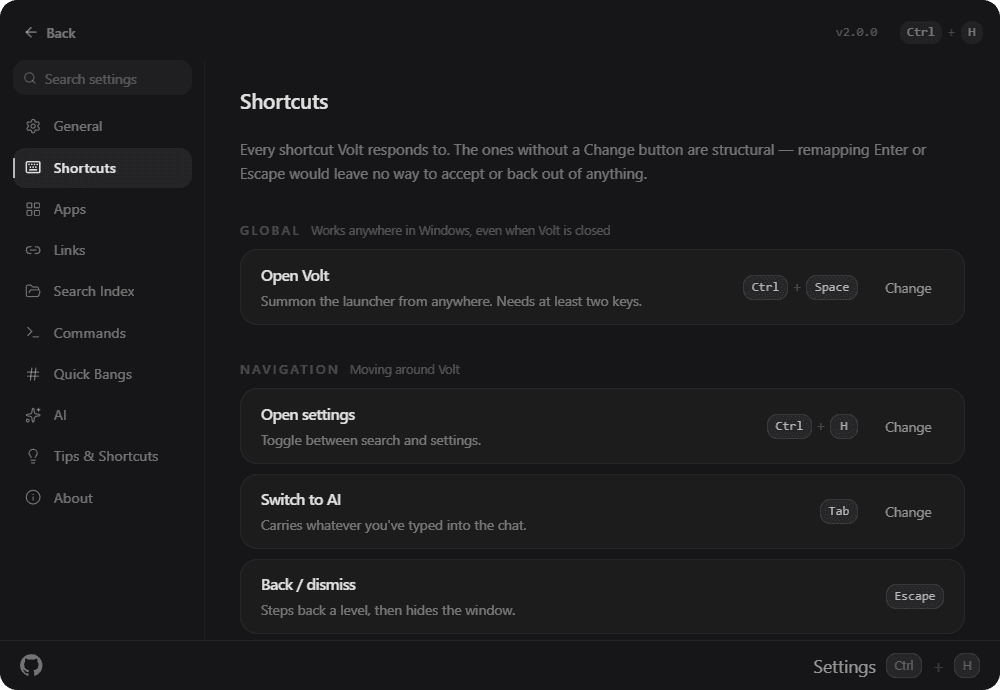
Every shortcut Volt responds to is listed in one place, and the ones that make sense to change can be rebound. Settings runs down the left side, with a search box (Ctrl + F) to find any option.
Custom Commands
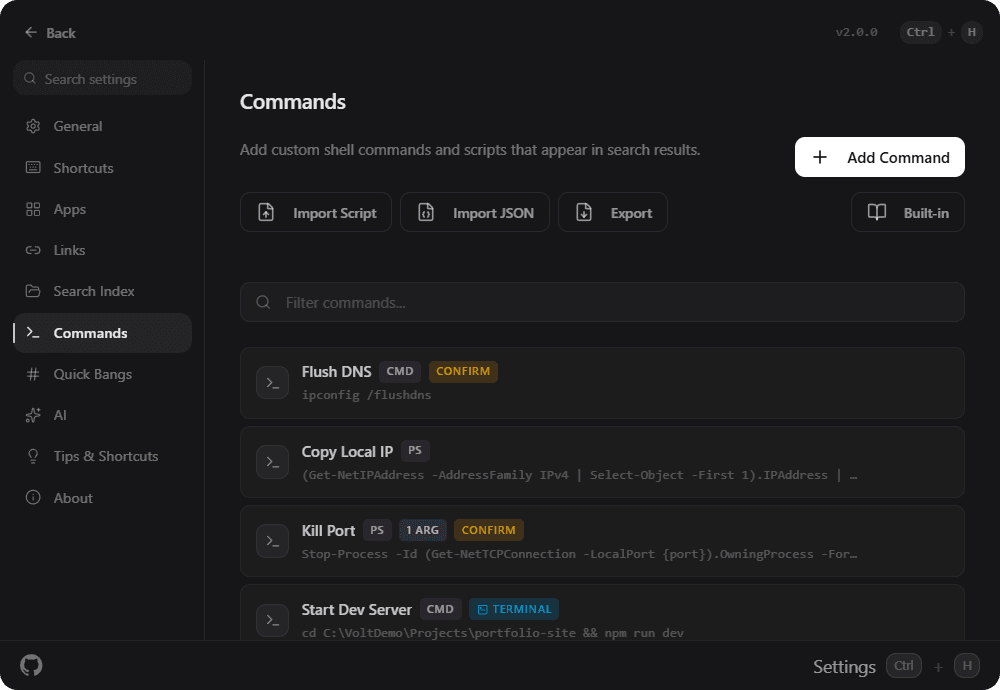
Add your own shell commands and run them straight from the search bar, no terminal needed. Commands can take arguments with defaults, ask for confirmation first, or open in a visible terminal so you can watch the output. Import a command set as JSON and Volt shows you every script before it's saved.